Installation Guide
This guide is a comprehensive utility to properly install and configure the necessary tools for the SMIA software. For a better understanding of the software, the guide is divided into several subsections, each showing one of the tools.
AASX Package Explorer
The AASX Package Explorer is is a viewer and editor for the Asset Administration Shell (AAS). It is licensed under the Apache License 2.0 and it is available for Windows 10+ based systems.
Software installation
For installing the AASX Package Explorer the binaries are provided in the project releases section of GitHub.
Tip
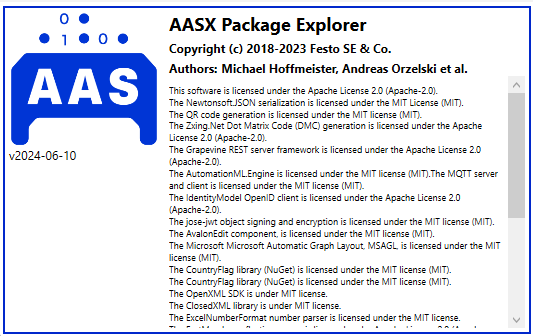
Up to now, the latest version of the software is the v2024-06-10.alpha. The ZIP file with all necessary files can be downloaded from the aasx-package-explorer.2024-06-10.alpha.zip.
Software configuration
Once the AASX Package Explorer is installed, it is necessary to update some configuration files to add the necessary resources for the correct operation of SMIA.
Adding the custom submodel templates
AASX Package Explorer allows adding custom submodel templates in the form of plugins. With this feature, submodels can be easily created automatically. All new submodel templates must be added as AasxPluginGenericForms.
In the case of the SMIA approach, a submodel has been developed with all necessary semantic identifiers to easily import all ConceptDescriptions with semantic identifiers related to the Capability-Skill-Service ontology used at runtime.
To do so, first the JSON object with the submodel template definition will be collected, available in the GitHub as additional tool link.
When the JSON object is obtained, it is necessary to copy it to the following path, relative to where the AASX Package Explorer has been installed:
<path to AASX Package Explorer installation>/AasxPackageExplorer/plugins/AasxPluginGenericForms/
Once the file is copied there, the next time the program is initialized, the submodel can be easily created from the options: Workspace > Create ... > New Submodel from plugin, or by pressing Ctrl + Shift + M.
The same has to be done with the IDTA submodel templates, in order to add them to the AASX Package Software tool. To be as clear as possible, all JSON files to be copied as plugins are added in the dropdown below.
Adding the qualifier templates
Another useful feature is to add presets to Qualifier elements, in order to use them easily without the need to add information from the user. To do this, in this case another JSON file will be added to an existing program configuration file. The JSON objects with the qualifier presets for SMIA are available as GitHub additional tool.
In this case, the content of the JSON file should be copied and pasted to the end of the qualifier-presets.json configuration file available in the same installation folder as the program executable (AasxPackageExplorer).
Warning
Be careful, the JSON must be valid, so consider that this configuration file is a JSON Array, and that is why the JSON content starts with ‘,’.
Tip
All of these resources are offered as a SMIA additional tool.
Python
Python is the base programming language of SMIA. In order to install Python environment it is available at the official web page.
Note
SMIA works with Python 3.10, 3.11 and 3.12.
Dependency modules
SMIA is built in top of some required Python modules. Pip, as the package installer for Python, can be used to install them.
BaSyx Python SDK
BaSyx SDK is used by SMIA to manage the AAS model in Python. It can be installed using pip, executing pip install basyx-python-sdk.
SPADE
SPADE is a multi-agent system platform on which the SMIA software has been built. An official installation guide is available at https://spade-mas.readthedocs.io/en/latest/installation.html.
OWLReady2
OWLReady2 is used by SMIA to manage the OWL-based CSS ontology in Python. An official installation guide is available at https://owlready2.readthedocs.io/en/v0.47/install.html.
Recommended version for all modules
pip install basyx-python-sdk==1.1.0
pip install spade==3.3.3
pip install owlready2==0.47
SMIA source code
There are two ways to install the SMIA source code. In addition to the dependency modules, it can be installed using pip, as it is available in the PyPI repository, by running:
pip install smia
The alternative is to download the entire source code from the official SMIA GitHub repository. It can be obtained by clicking on <> Code and then Download ZIP or it can be cloned using Git, by executing:
git clone https://github.com/ekhurtado/SMIA.git